
An application is easier to complete when the child's records, parent contacts and payment confirmation are ready before you begin. The more important step comes first: check that you understand the school's requirements and the difference between submitting an application and receiving an offer.
Leonard Chileshe Mulenga Memorial School provides an online admission application and a separate Admission Process page. Use both. The form collects information; the policy explains requirements, review and conditions. This guide brings the preparation together without promising a place or a decision date.
Choose the class to discuss
The school publishes Baby Class, Middle Class and Reception within Pre-School, followed by Grades 1 to 7. If you are uncertain which class to request, ask the office before submitting conflicting applications. Explain your child's date of birth, current schooling and intended starting period.
The published policy gives minimum starting ages for the Nursery and Primary sections. Those thresholds do not settle every placement question or guarantee admission. For preschool, our class comparison guide explains why class names should be discussed alongside experience and support needs.

Prepare the documents identified by the school
The Admission Process page lists a completed application form, the child's birth certificate and a record of up-to-date vaccinations. Its procedure also asks for recent passport-sized photographs and previous school reports where applicable. Confirm how and when the school wants each item supplied, particularly if you apply online.
Keep clear copies available, check that the child's name and date of birth are consistent and retain originals safely. Do not send sensitive documents to an unverified account or public group. If a document is unavailable, explain the issue to admissions and ask for guidance rather than entering invented information.
For example, a guardian may discover that a school report uses a shortened name while the birth certificate uses the full name. Raise the difference with the office before submission so staff can advise how to record it. Do not alter the original report yourself.
Understand what the online form asks
The existing application is organised into Child, Schooling, Parents and Payment steps. Have the child's basic details, requested class, schooling information and current parent or guardian contact details ready. Read each field and provide the information that applies to your circumstances.
Check telephone numbers and email addresses carefully. A correct application with an incorrect contact number can make follow-up difficult. Where more than one guardian is involved, agree which contact details should be used and ensure the named adults know about the application.
The online form currently identifies an application fee of K200, checked on 22 October 2026, and asks for proof of payment. Confirm current instructions through the official school channel before paying. The published policy describes the application fee as non-refundable and says complete applications with payment evidence are reviewed.
Keep a usable payment record
Follow the school's current instructions for the payment reference and proof. Make sure the image or document is readable, includes the necessary transaction details and meets the upload requirements displayed in the form. Retain your own copy.
As another illustration, a parent pays from a relative's account. Before submitting, they should check how the school wants that payment matched to the child's application. A payment made successfully at the bank still needs to be identifiable to the school.
This guide does not reproduce bank account details. Obtain the current information through the school's official channels and check the recipient before transferring money. The School Fees page covers the separate tuition and other published school charges.
Review before pressing submit
- Check the spelling of the child's names against the supporting record.
- Confirm the date of birth and class requested.
- Review schooling information and previous reports where applicable.
- Check parent and guardian contact details.
- Ensure required declarations are understood by the responsible adult.
- Check that payment evidence is readable and the required fields are complete.
- Keep the confirmation shown after successful submission.
- Ask how any documents not collected online should be delivered.
If the form shows an error, read the message and check the affected field. Do not assume that an incomplete screen or interrupted upload means the application was received. Contact the school if you cannot determine the status before submitting repeatedly.
What happens after application?
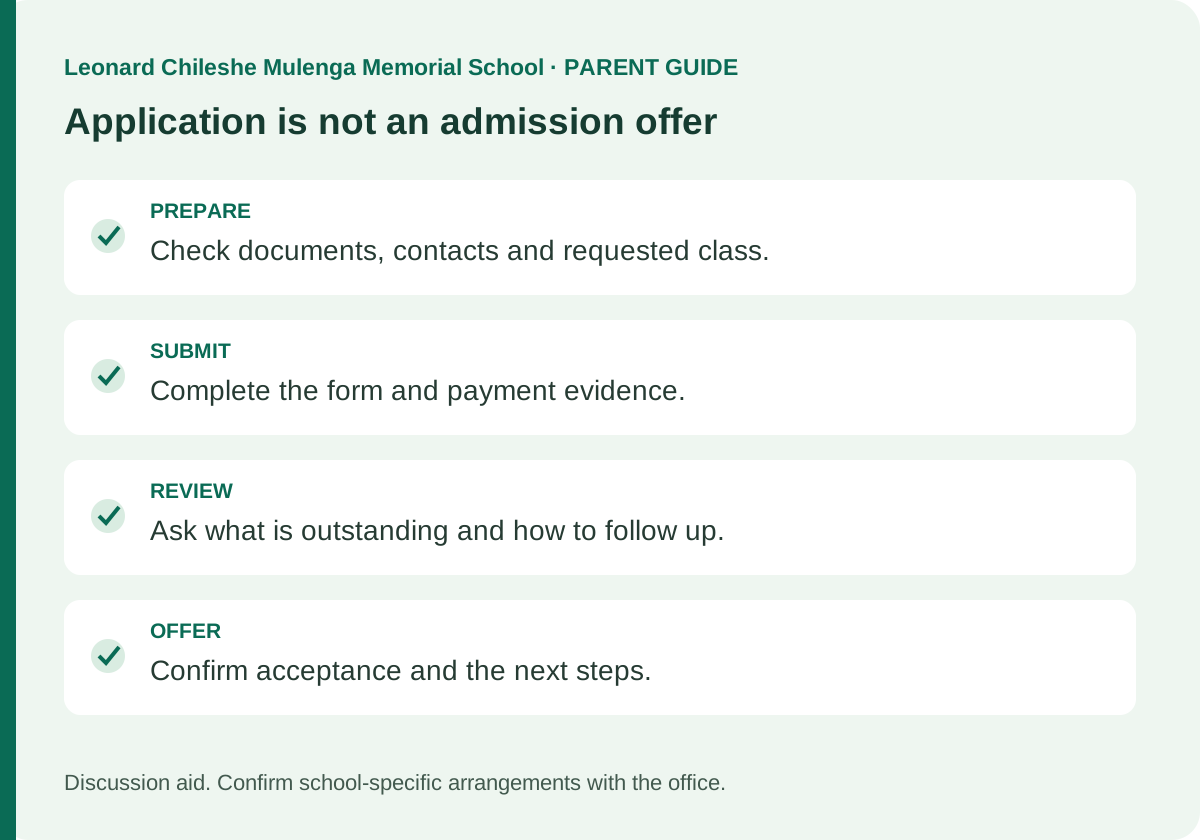
The published process says the school may arrange an interview or assessment when a place becomes available. Admission depends on space, school readiness and the assessment process. Shortlisting, interviewing and having a sibling already enrolled do not guarantee a place.
Ask the office how you will be contacted, whether anything remains outstanding and when a follow-up would be appropriate. This guide does not promise a fixed response time because one has not been confirmed. Keep your contact details current if they change while you wait.
An enquiry or live-chat conversation is not the same as a submitted application. Similarly, a submitted application is not an acceptance letter. Ask what confirms an offer and which next steps apply before purchasing everything for the term.
Prepare after the place is confirmed
Review payment dates, the uniform list, learning supplies and class reporting arrangements. Ask about the approved collection procedure and any care information that should be shared with the teacher. The fee budgeting guide helps you plan beyond tuition.
If you have not visited, use the school visit guide to arrange a suitable appointment. A transfer family should also confirm notice and records with the previous school before finalising the move.
Must I submit another application if I made a mistake? Contact the school first and explain what needs correcting. Avoid creating duplicates without guidance.
Does paying the application fee reserve a place? The published process does not guarantee admission after payment. Confirm the formal offer and acceptance steps with the office.
Where should I start if I am unsure? Contact the school with your child's intended class and the specific question. Once the requirements are clear, return to the official online application with the documents and payment evidence ready.
Back to All Articles